
Skip to content
X4Plan

Project Management Excel Templates with Timelines & Dashboards

Not every team needs project software — many need a workbook that is actually kept up to date. These X4Plan templates organize projects, tasks, owners and status, and summarize progress so reporting takes minutes instead of an afternoon.

Project Management products from the X4Plan Etsy store

5 real listings. Every card opens the corresponding product page on Etsy.

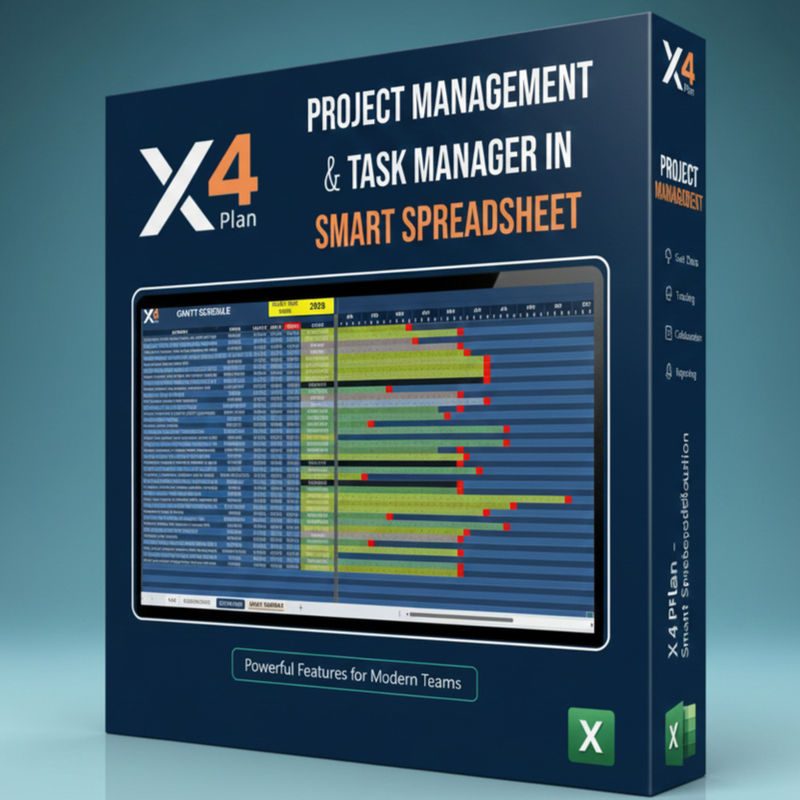
Smart Project & Task Management Excel Spreadsheet — X4Plan Excel spreadsheet preview
Project Management

Smart Project & Task Management Excel Spreadsheet

Projects and their tasks in one workbook, with owners, status and progress rolled up per project.

Track projects and tasks without new software.

Type:
Excel Template
Best for:
Project managers and small teams
Automated Project Tracker Spreadsheet — X4Plan Excel spreadsheet preview
Project Management

Automated Project Tracker Spreadsheet

A project tracker where progress, dates and status indicators update from the task data you enter.

Less spreadsheet maintenance, more tracking.

Type:
Excel Template
Best for:
Teams tired of manual status updates

Get Project Management templates on Etsy

Open the official X4Plan Etsy store to compare listings, read the full descriptions and download instantly.

Shop on Etsy →(opens the Etsy listing in a new tab)

Project Management: what it is and who it is for

What Is a Project Management Excel Template?

A project management Excel template is a workbook that stores projects and their tasks with owners, dates and status, then summarizes progress. It gives a team shared structure using software everyone already has.

Who Are These Templates For?

Project managers, team leads, agencies, consultants and small teams coordinating work across several projects at once.

What Can You Manage?

Common uses for these workbooks:

  • Project and task lists with responsible owners
  • Start dates, due dates and timelines
  • Status and progress tracking
  • Dashboard summaries for status reporting

Excel or Project Management Software?

Excel fits teams with a manageable number of projects, stable processes and a preference for a single owned file. Dedicated software fits teams needing real-time collaboration, notifications and integrations. Many teams start in Excel and move later.

Compare Project Management products

Comparison of X4Plan Project Management products
ProductTypeBest forEtsy
Smart Project & Task Management Excel SpreadsheetExcel TemplateProject managers and small teamsView(opens the Etsy listing in a new tab)
Professional Project Management SpreadsheetExcel TemplatePMOs and delivery leadsView(opens the Etsy listing in a new tab)
Automated Project Tracker SpreadsheetExcel TemplateTeams tired of manual status updatesView(opens the Etsy listing in a new tab)
Excel Project Management TemplateExcel TemplateAnyone running projects in ExcelView(opens the Etsy listing in a new tab)
Smart Project Management SpreadsheetExcel TemplateManagers overseeing several projectsView(opens the Etsy listing in a new tab)

Project Management — Frequently Asked Questions

Do these templates include a timeline view?
Timeline and dashboard features vary per workbook. Each Etsy listing shows exactly what that product contains.
Can I manage multiple projects in one file?
The Smart Project & Task Management and Smart Project Management workbooks are structured for tracking more than one project.
Are these templates editable?
They are Excel workbooks you own after purchase. Refer to each listing for its usage terms.

Ready to put project management in order?

Every X4Plan product is delivered through our official Etsy store, with all details, requirements and pricing on the listing page.