
Skip to content
X4Plan

Outlook Email Automation for Excel

Email is a data source most teams never analyze, because getting it out of Outlook is tedious. These three X4Plan tools move email data into Excel and turn it into something you can filter, count and report on.

Outlook automation tools

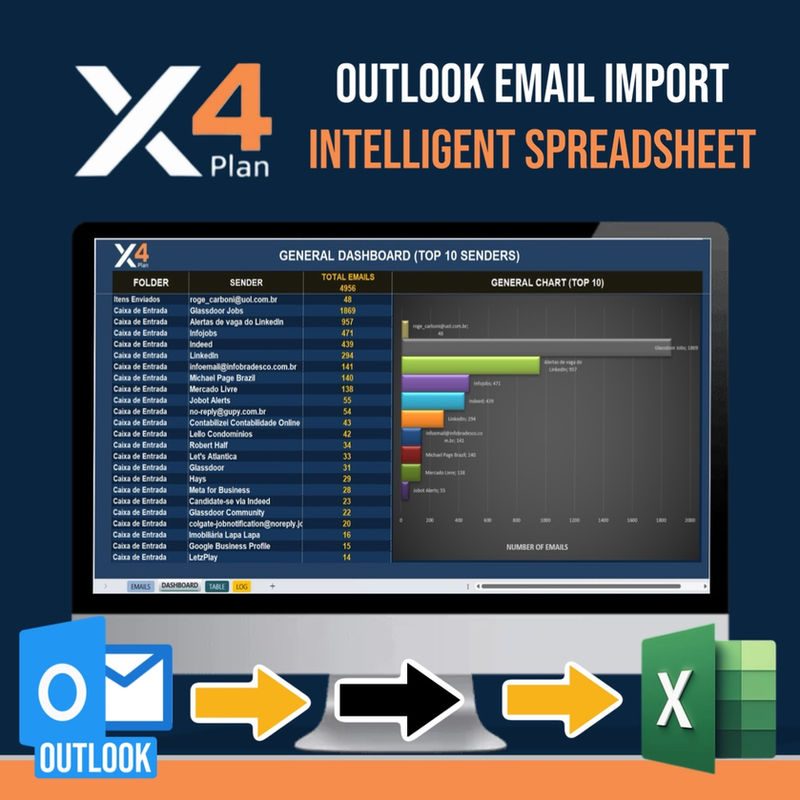
Automated Email Importer for Excel — X4Plan Excel spreadsheet preview
Excel Automation

Automated Email Importer for Excel

Brings email data into Excel automatically so message information can be filtered, sorted and analyzed like any other dataset.

Stop copying email details into spreadsheets by hand.

Type:
Excel Automation Tool
Best for:
Teams processing high email volume
Excel Email Dashboard from Outlook — X4Plan Excel spreadsheet preview
Excel Automation

Excel Email Dashboard from Outlook

A business-intelligence style dashboard in Excel built from Outlook email data, for volume and activity analysis.

Turn your inbox into measurable data.

Type:
Excel Automation Tool
Best for:
Operations and support managers
Outlook Email Importer for Excel — X4Plan Excel spreadsheet preview
Excel Automation

Outlook Email Importer for Excel

Imports Outlook messages into an Excel workbook so the data can be organized and reused in your own reports.

Get Outlook data into Excel, ready to work with.

Type:
Excel Automation Tool
Best for:
Professionals working inside Outlook all day

Which Outlook tool should I choose?

Comparison of the three X4Plan Outlook automation tools
ToolMain focusWhat you getEtsy
Automated Email Importer for ExcelBringing email data into Excel automaticallyStructured email data in a workbookView(opens the Etsy listing in a new tab)
Outlook Email Importer for ExcelImporting Outlook messages into ExcelOrganized message data ready to reuseView(opens the Etsy listing in a new tab)
Excel Email Dashboard from OutlookAnalyzing Outlook email dataA BI-style dashboard inside ExcelView(opens the Etsy listing in a new tab)

Outlook Email Automation — Frequently Asked Questions

What is Outlook email automation for Excel?
It means moving email data out of Outlook and into an Excel workbook automatically, so messages can be filtered, counted and analyzed like any other dataset instead of being read one by one.
Which X4Plan tool should I choose?
Choose an importer when the goal is getting Outlook data into Excel. Choose the Excel Email Dashboard when the goal is analyzing that data in a reporting view.
What are the requirements?
Each Etsy listing states the requirements and supported setup for that specific tool. We do not claim capabilities beyond what the listings describe.